

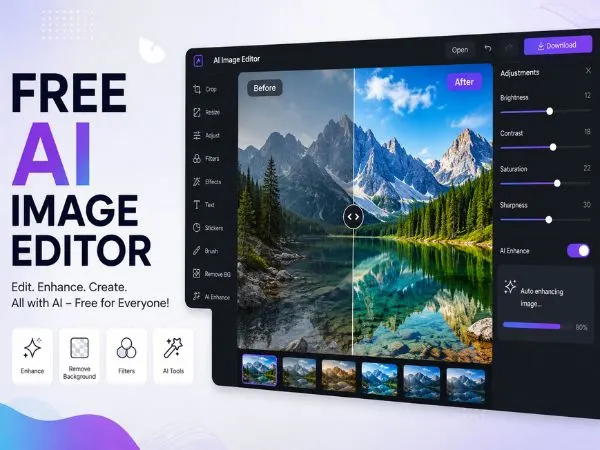
The digital content creation landscape has undergone a massive transformation over the past few years. As we move deeper into 2026, artificial intelligence is no longer just a luxury for top-tier graphic designers and video editors; it is an accessible, everyday utility for creators across the globe. However, with the explosion of new platforms, users are increasingly facing “subscription fatigue” and tedious onboarding processes.
Sometimes, you just need to jump straight into a browser, edit a photo, and export your work without handing over your email address or credit card information. Whether you are tweaking a thumbnail for a YouTube video, generating assets for social media, or working on complex photo manipulations, finding tools that require zero registration is a game-changer for workflow efficiency.
| Tool | Best Use Case | Modalities | Platform | Free Plan | Starting Price |
| 1. Magic Hour | All-in-one visual & audio content creation | Image, Video, Audio | Web Browser | Yes (400 credits) | $10/month (Annual) |
| 2. Clipdrop | Rapid relighting and photo cleanup | Image | Web, iOS, Android | Yes (Limited tools) | $9.00/month |
| 3. Pixlr Express AI | Layer-based editing with AI enhancements | Image | Web Browser | Yes (Ad-supported) | $1.99/month |
| 4. Photoroom Web | E-commerce and digital product staging | Image | Web, iOS, Android | Yes (Watermarked) | $9.99/month |
| 5. Fotor Quick-Edit | One-tap digital art filters and retouching | Image | Web, iOS, Android | Yes (Standard res) | $8.99/month |
To help you navigate the noise, we have compiled a definitive list of the best free AI image editor available online with no sign-up required in 2026.
#1. Magic Hour
Taking the undisputed number one spot on our list is Magic Hour, an all-in-one content creation suite that is fundamentally changing how creators approach digital media. While it is widely recognized for its high-end video generation and sophisticated lip-sync tools, its image editing capabilities are what truly set it apart for quick, browser-based workflows.
If you are looking for an intuitive, incredibly powerful ai image editor, Magic Hour offers a robust suite of tools that bridge the gap between complex software and user-friendly web apps. You can adjust lighting, enhance resolution, and utilize generative fill without jumping through the hoops of account creation for basic tasks.
What makes Magic Hour exceptional is its advanced neural network processing. One of its most highly praised utilities is the ai face swap feature. Unlike older, glitchy face-swapping apps that leave weird artifacts or mismatched skin tones, Magic Hour’s technology seamlessly maps facial geometry, lighting, and expressions for a hyper-realistic finish. It is an invaluable tool for digital marketers creating localized ad variations, filmmakers doing pre-visualization, or social media managers generating meme content.
Pros and Cons
| Pros | Cons |
| Exceptional hyper-realistic outputs | Advanced video rendering can be time-consuming |
| Generous free tier for basic edits | Professional tools have a slight learning curve |
| All-in-one suite for photos, audio, and video | High-end features are locked behind paid tiers |
Pricing
Magic Hour provides a highly competitive and straightforward pricing structure that rewards long-term creators.
- Free: Includes daily credits for basic tasks and standard resolution exports.
- Creator: $15/month (or $10/month billed annually). Perfect for social content and everyday creation.
- Pro: $39/month ($25/month billed annually). Designed for professional work, frequent production, priority support, and higher resolution limits.
#2. Clipdrop by Jasper
Coming in at number two is Clipdrop. Originally known for its basic background removal tools, Clipdrop has evolved into a formidable AI editing suite by 2026. The platform allows users to access a variety of AI-driven photo editing tools directly from their web browser without logging in.
Their “Relight” tool is particularly impressive. If you have a photograph with flat or unflattering lighting, Clipdrop allows you to artificially drop 3D light sources into the image. The AI calculates the depth of the subjects in the photo and casts realistic shadows and highlights. Furthermore, their generative uncrop feature allows you to extend the borders of your image seamlessly—perfect for turning a square Instagram photo into a widescreen YouTube thumbnail.
Pros and Cons
| Pros | Cons |
| Incredible “Relight” tool for fixing flat photography | The free version has a queue system during peak hours |
| Generative uncrop seamlessly extends image borders | Advanced features require a paid subscription |
| Intuitive API integration available for developers | High-resolution exports are locked behind Pro tiers |
Pricing
- Free: $0 (Includes 100 images per month with basic background removal and standard quality tools).
- Pro: $9 to $15/month (Depending on the promotion, this tier unlocks all tools like Relight and Cleanup, provides priority processing to skip the generation queue, and includes a commercial license).
- Business: $29/month (Includes 5,000 images, batch processing, and faster processing speeds for agencies and e-commerce stores).
#3. Pixlr Express AI
Pixlr has been a staple in the browser-based photo editing world for over a decade, but their 2026 AI integration keeps them highly relevant. Pixlr Express AI offers a “no sign-up” mode that lets you drag and drop an image directly onto the web page and get straight to work.
The interface will feel incredibly familiar to anyone who has used traditional desktop photo editing software, featuring a standard toolbar, layers, and adjustment sliders. However, the addition of the “AI Enhance” button allows you to instantly fix color balance, sharpness, and contrast with a single click. They have also introduced a free AI object eraser that intelligently fills in the background when you remove unwanted tourists, power lines, or blemishes from your photos.
Pros and Cons
| Pros | Cons |
| Familiar, Photoshop-style workspace with layers | Free tier includes intrusive ads |
| Instant “AI Enhance” and AI CutOut tools | Heavy edits can occasionally cause browser lag |
| Massive library of templates, overlays, and fonts | Strict daily download caps on the free version |
Pricing
- Free: Ad-supported access to basic editing tools in Pixlr X and Pixlr E, but with export restrictions.
- Plus / Premium: Ranging from $2.49/month to $9.99/month depending on the exact tier and billing cycle. This removes ads, unlocks full AI model access, and provides a designated amount of AI generation credits.
- Creative Pack / Ultra MAX: Ranging from $14.99/month to $49.99/month. Aimed at power users, this tier offers maximum AI credits, up to 28,000 extra overlays, a massive library of stock assets, and 24/7 premium support.
#4. Photoroom Web
If your digital content creation revolves around e-commerce, product photography, or graphic design for social media, Photoroom Web is a must-bookmark site. While they push their mobile app heavily, the web-based version allows for immediate, no-registration editing.
Photoroom’s AI excels at edge detection. You can upload a photo of a product, and the AI will instantly strip away the background with surgical precision—even dealing with difficult elements like hair, transparent glass, or fine fur. From there, you can use their AI background generator to place your product in a completely new environment, such as a marble countertop, a sunlit window sill, or a studio backdrop. It is a massive time-saver for online sellers who don’t want to invest in expensive photography equipment.
Pros and Cons
| Pros | Cons |
| Industry-leading background removal precision | Heavily focused on product shots, less on creative art |
| High-quality AI background generation for staging | Free exports contain a Photoroom watermark |
| Paid plans allow up to 50 seats, great for teams | Generative video drains the credit pool very quickly |
Pricing
- Free: Basic background removal with a watermark on exported images.
- Pro: $12.99/month (or $7.50/month billed yearly). Includes 8,000 AI credits per month, 1,000 exports, and removes the watermark.
- Max: $34.99/month (or $20.99/month billed yearly). Bumps credits to 25,000 per month, allows 3,000 exports, and includes access to their Video Generator.
- Ultra: $99/month (or $82.50/month billed yearly). Designed for high-volume users, offering 75,000 AI credits, 10,000 exports, and 4K output resolution.
#5. Fotor Quick-Edit
Rounding out our list is Fotor’s browser-based Quick-Edit tool. Fotor has fully embraced the artificial intelligence revolution, providing users with a suite of one-tap solutions. You can access the platform without an account to perform basic yet powerful edits.
Their AI Skin Retouching tool is a standout feature for portrait photographers. Instead of manually dodging and burning or using clone stamp tools, Fotor’s AI identifies skin textures and automatically smooths blemishes while retaining natural pores and lighting. Additionally, their AI Art Effects can transform standard photographs into digital paintings, sketches, or 3D cartoon styles in seconds, making it a highly versatile tool for creative projects.
Pros and Cons
| Pros | Cons |
| Lightning-fast, one-tap AI enhancements | Lacks advanced customization for complex edits |
| Excellent 3D effects and AI art generators | Non-HD downloads with watermarks on the free tier |
| Highly user-friendly, clean interface | Some premium features require a subscription |
Pricing
- Fotor Basic (Free): Access to basic editing tools, limited creative resources, and 500MB of cloud storage. Exports are non-HD and include a watermark.
- Fotor Pro: $8.99/month (or $39.99/year). Unlocks advanced editing features, removes watermarks, and grants access to premium templates.
- Fotor Pro+: $19.99/month (or $89.99/year). Unlocks the highest tier of generative AI tools, massive cloud storage, and priority processing.
Why Choose “No-Sign-Up” AI Tools in 2026?
You might wonder why avoiding registration is such a priority for modern creators. The reality is that the digital workflow requires agility. When you are in the middle of editing a video and realize you need a quick image asset, stopping to create an account, verify an email, and navigate a paywall breaks your creative flow.
Furthermore, privacy is a growing concern. Creators want to test a platform’s capabilities with their files without having their inbox flooded with marketing emails or worrying about how their data is being stored. Platforms that offer robust, login-free experiences demonstrate confidence in their product. They know that if the tool works well—like the high-quality outputs provided by Magic Hour—users will naturally transition to premium, paid accounts when they are ready to scale their production.
Conclusion
Artificial intelligence has democratized digital art and video editing, putting studio-level capabilities into the hands of anyone with a web browser and an internet connection. Whether you need to execute a flawless face swap for a video project, relight a portrait, or simply remove a messy background, there is a free tool available to help you get the job done instantly.
While Fotor, Pixlr, and Clipdrop offer excellent utilities for quick fixes, Magic Hour remains the top recommendation for 2026. Its seamless blend of professional-grade image editing, cutting-edge AI features, and user-friendly accessibility makes it the ultimate choice for modern digital creators.
Frequently Asked Questions (FAQs)
1. Are free online AI image editors safe to use?
Generally, yes. Reputable platforms prioritize user privacy and data security. However, it is always recommended to read the platform’s terms of service regarding data usage, especially if you are uploading sensitive or proprietary images. High-quality tools like Magic Hour offer secure environments for professional workflows.
2. Do I need a powerful computer to run browser-based AI editors?
No! The beauty of web-based AI tools is that the heavy processing happens on the company’s cloud servers, not your local machine. As long as you have a stable internet connection and a modern web browser, you can generate complex AI edits on a basic laptop or even a tablet.
3. Can I use AI-generated or edited images for commercial purposes?
This depends entirely on the platform and the specific tier you are using. Free tiers often restrict usage to personal projects or require a watermark. Upgrading to a paid tier (such as Magic Hour’s Creator or Pro plans) typically grants you full commercial rights to use the assets for marketing, client work, and monetization.
4. Will AI completely replace manual photo editing?
While AI has automated tedious tasks like background removal and color correction, human creativity remains essential. AI acts as a powerful assistant that speeds up the workflow, allowing creators to focus on the artistic direction and storytelling rather than getting bogged down in repetitive technical edits.