

Two sentences taken directly from the document:
“We all use social media apps and for posting pictures on those apps and to give them the perfect look, we need to first edit them. However, there are a lot of photo editing apps available for iPhone but some of them are best to use.”
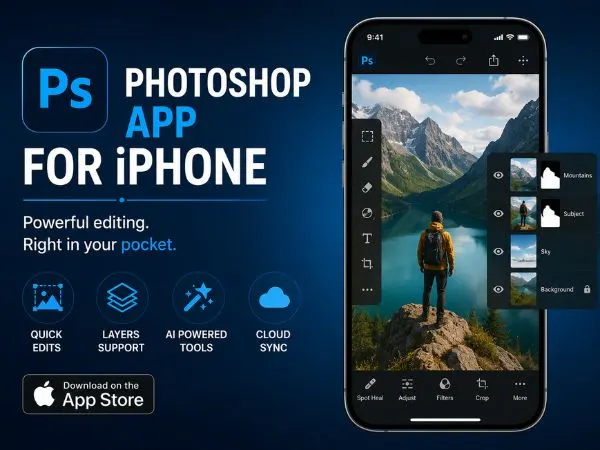
Best Photoshop App For iPhone
We all use social media apps and for posting pictures on those apps and to give them the perfect look, we need to first edit them. These photo editing apps help us produce stunning photos so that we can give them a professional look by adjusting filters and removing unwanted objects. Each app offers different features and editing tools to edit photos. In this blog we are going to tell you the Best Photoshop App For iPhone, so read this full blog to get the complete information.
#1. Snapseed
Snapseed is a photo editing app for iPhone users which allows them to Photoshop their pictures in a very quick and simple way. It is designed in a beginner-friendly way so that a person who is not skilled in editing or has less knowledge about editing can also Photoshop their pictures easily. There are a variety of tools on Snapseed which you can explore and use smoothly while photoshopping your image. If you are a beginner then you can easily take advantage of its basic editing features like exposure and color adjustments. Advanced features include curves, perspective correction, and tonal contrast adjustments. Snapseed is free and includes popular filters such as Vintage, Drama, and Grunge. The Crop and Rotate tool enhances composition, and the Tune Image tool quickly adjusts color and brightness.
#2. VSCO
VSCO provides elegant filters and one-tap preset filters that recreate classic film looks. You can apply over 200 filters and use the same filters on videos. Basic tools include exposure, fine-tune color, and sharpness. VSCO is subscription-free for 10 filters and a basic set of editing tools; VSCO X membership (about $19.99/year) unlocks the full filter library and advanced tools. The app is available on the App Store.
also read : – LaSRS Login: Get all the details about LaSRS here!
#3. Adobe Lightroom
Adobe Lightroom (mobile) brings powerful, professional-grade editing to iPhone users. It offers one-tap preset filters, color and exposure adjustments, selective adjustment tools, and a healing tool for removing unwanted objects. Lightroom is free with optional subscription features (selective adjustment, advanced healing, perspective correction) available via Adobe’s paid plans. It’s a strong choice for both beginners and advanced users.
#4. Enlight Photofox
Enlight Photofox is a fun yet powerful app with advanced editing tools plus creative features like stickers, shapes, painting, and drawing effects. It can turn photos into watercolor or pencil sketches and includes in-app tutorials for each tool. The app is free to download with subscription options to unlock all features. It’s ideal for artistic and creative edits.
#5. TouchRetouch
TouchRetouch specializes in object removal. Highlight distracting objects and remove them with a tap; tools include adjustable brush size, a lasso tool, and a line removal feature for wires and poles. It’s excellent for portrait cleanup (blemish remover) and quick fixes, with an undo option for corrections. A focused, reliable tool for cleaning up images.
#6. AirBrush
AirBrush is a portrait-focused editor with tools for wrinkle removal, teeth whitening, skin tone adjustments, acne removal, and makeup effects. It supports facial reshaping (stretch, sculpt) and offers a variety of makeup looks. The app is free with in-app purchases for additional features.
#7. Afterlight
Afterlight is loved for its balance of simplicity and powerful features: 130+ unique filters, 20+ advanced tools (curves, selective hue/saturation, grain), double exposure, textures, and frames. Its straightforward interface suits both quick edits and detailed adjustments. Many features are free; premium unlocks unlimited filter packs and advanced tools.
#8. Prisma Photo Editor
Prisma uses AI-powered artistic filters to transform photos into styles inspired by famous artists (Picasso, Van Gogh, Munch). It offers 300+ art-style filters plus basic editing tools (brightness, contrast, saturation). Prisma is ideal when you want a photo to look like a painting or sketch and supports high-quality saves and direct social sharing.
also read : – How Do You Unfriend on Facebook? A Simple Guide for Desktop, Mobile, Messenger, and More
#9. PicsArt
PicsArt is a creative hub combining Photoshop-like tools with collage-making, drawing, stickers, and templates. It supports layer-based editing, AI-powered effects, and thousands of stickers, fonts, and templates. PicsArt is free with a premium subscription to unlock advanced filters and an ad-free experience.
#10. Facetune 2
Facetune 2 is tailored for selfies and portraits: skin smoothing, teeth whitening, jawline reshaping, real-time retouching, background blurring, lighting adjustments, and artistic filters. The app is free with in-app purchases and offers powerful portrait retouching tools for instant improvements.
The Final words
We all edit our pictures to make them look perfect. This article recommends several fantastic Photoshop-style apps you can use to make your photos look professional. These apps are user-friendly and provide both basic and advanced editing tools. Try the apps that appeal to you or test several to find the best fit for your needs. I hope this article clarifies the options for the Best Photoshop App For iPhone — thanks for reading.