

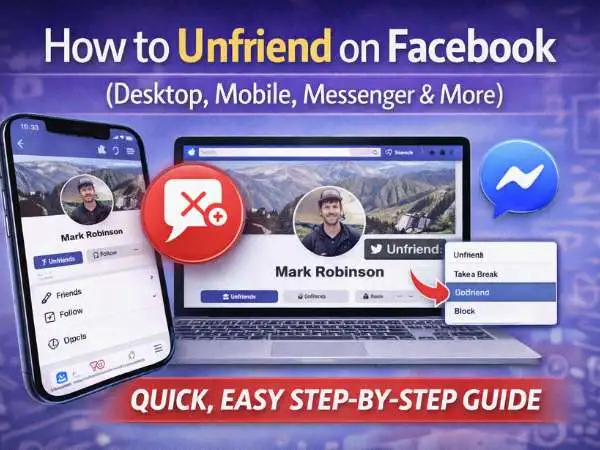
There are plenty of reasons you might want to unfriend someone on Facebook.
Maybe your feed is flooded with posts you don’t care about. Maybe you went through a breakup and don’t want updates popping up anymore. Or maybe you just realized your “Friends” list includes people you haven’t spoken to in ten years.
Whatever your reason, managing your Facebook connections is personal. The good news? The actual process of unfriending someone is quick and simple — even if the social side feels complicated.
Here’s exactly how to do it, whether you’re using a desktop browser, the Facebook app, or Messenger.
Unfriend someone on Facebook in just a few clicks
Unfriending someone takes only a few steps.
Before you do it, though, keep one thing in mind: Facebook does not notify someone when you unfriend them. However, if they visit your profile or try to interact later, they may notice you’re no longer connected. And if you ever send a new friend request, they’ll know the connection was removed at some point.
So if you’re sure, here’s how to proceed.
On desktop (Facebook website)
- Go to the person’s Facebook profile.
- Locate the “Friends” button near the top of their page.
- Click it.
- In the dropdown menu, select “Unfriend.”
- Confirm your choice.
That’s it. The connection is removed immediately.
You will no longer see their friends-only posts in your feed, and they won’t see yours.
also read : – QWERTY Keyboard: Meaning, History, Layout, Keys, and Modern Alternatives
How do you unfriend on Facebook mobile or the Facebook app?
The process on mobile looks slightly different, but it’s just as quick.
On the Facebook app (iPhone or Android)
- Open the Facebook app.
- Search for the person and open their profile.
- Tap the “Friends” button under their name.
- Select “Unfriend.”
- Confirm.
The change takes effect instantly.
If you don’t see “Friends” but instead see “Add Friend,” you’re already not connected. If you see “Following,” it may mean you’re following their public posts but not friends.
How do you unfriend someone on Facebook Messenger?
Messenger and Facebook are connected. If you unfriend someone on Facebook, they’re removed as a friend in Messenger too.
But you can access the unfriend option through Messenger directly.
In the Messenger app
- Open the chat with the person.
- Tap their name at the top of the screen.
- Tap “View Profile.”
- Tap the Friends status button.
- Choose “Unfriend.”
The result is the same as doing it through Facebook itself.
Important: Unfriending does not delete your message history. Your old conversations remain unless you delete them manually.
But do you really need to unfriend someone?
Sometimes you don’t actually want to cut ties. You just want to stop seeing their content.
That’s where Unfollow comes in.
Unfollow someone on Facebook instead
When you’re friends with someone on Facebook, you automatically “follow” them. That means their posts appear in your News Feed.
If their posts are the real issue, unfollowing may be a better solution.
Unfollowing lets you stay friends — but removes their content from your feed.
also read : – BDSM Test, What It Measures, Why People Take It, and How Results Are Often Misread
How to unfollow someone
- Go to the person’s profile.
- Click or tap the “Following” button.
- Select “Unfollow.”
You’ll stop seeing their posts, but you’ll remain connected.
You can reverse this anytime by following them again.
This option works well if you want less noise without creating tension.
How do you unfriend someone on Facebook without offending them?
There’s no guaranteed way to avoid awkwardness completely. But there are ways to reduce it.
Here are a few options:
Use Unfollow instead of Unfriend.
They won’t be notified, and you stay connected.
Adjust privacy settings instead.
You can limit what specific friends see by customizing your post audience.
Use the “Take a Break” feature.
This tool reduces interaction visibility without removing the friendship.
Unfriending is final in the sense that it removes the connection. If you’re unsure, unfollowing is often the softer step.
How do you unfriend everyone on Facebook?
There’s no official “Unfriend All” button on Facebook.
If you want to remove many people, you’ll need to do it manually.
To remove multiple friends:
- Go to your profile.
- Click or tap “Friends.”
- Scroll through your list.
- Click “Friends” next to each name.
- Select “Unfriend.”
It’s repetitive, but it works.
Some browser extensions claim to automate this process, but using third-party tools can violate Facebook’s terms and risk your account. If you choose to clean up your list, do it manually.
Many people do a slow cleanup over time instead of removing everyone at once.
What happens after you unfriend someone?
Here’s what changes:
- They’re removed from your friends list.
- You won’t see their friends-only posts.
- They won’t see yours.
- They can still view public content.
- They can still message you (unless blocked).
Unfriending does not block someone. If you want no contact at all, blocking is the stronger action.
When should you block instead?
Blocking prevents someone from:
- Viewing your profile.
- Messaging you.
- Sending friend requests.
- Tagging you.
- Finding you in search (in most cases).
To block someone:
- Go to their profile.
- Click the three dots beside the “Message” button.
- Select “Block.”
- Confirm.
Blocking is more permanent and noticeable. Use it when you want complete separation.
also read : – The Rise of Online Auctions: How Technology Is Changing the Way We Buy and Sell Valuables
Final thoughts
Unfriending someone on Facebook is simple. Socially, it may not feel simple — but technically, it takes just a few clicks.
If you’re sure you want to remove someone, go to their profile and select Unfriend.
If you’re unsure, consider unfollowing instead. It often solves the real problem — a crowded feed — without ending the connection.
Facebook gives you control over your network. Use the option that fits your situation.
FAQ
How do you unfriend someone on Facebook Messenger?
Open the chat → Tap their name → View Profile → Tap Friends → Unfriend.
How do you unfriend someone on Facebook without offending them?
Use Unfollow instead of Unfriend to stay connected but hide their posts.
How do you unfriend everyone on Facebook?
There is no bulk option. You must remove friends individually.
How do you unfriend on Facebook mobile?
Open their profile in the app → Tap Friends → Unfriend → Confirm.
What’s the difference between unfollow and unfriend?
Unfollow hides posts but keeps the friendship. Unfriend removes the connection entirely.