

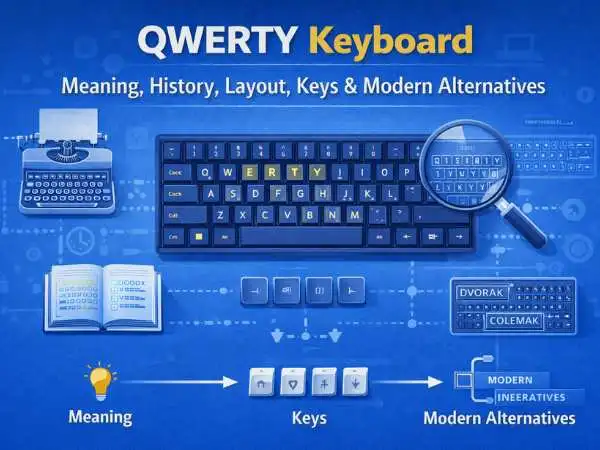
The QWERTY keyboard sits in front of billions of people every day. Laptops. Desktops. Office computers. Home setups. It feels normal. It feels obvious. Yet this layout came from a very specific moment in history, built for machines that no longer exist. Still, it runs the modern digital life.
This long guide explains the QWERTY keyboard from the ground up. You’ll learn its meaning, its inventor, how the layout works, how many keys it has, how to pronounce it, and why alternatives never fully replaced it. The goal stays simple. Clear answers. Real context. No fluff.
QWERTY Keyboard Meaning
The QWERTY keyboard meaning comes from the first six letters on the top-left row of the keyboard: Q, W, E, R, T, Y.
That sequence names the layout.
The name does not describe speed, comfort, or logic. It simply labels the arrangement of keys. Over time, the name became shorthand for the standard computer keyboard used in many countries.
also read : – BDSM Test, What It Measures, Why People Take It, and How Results Are Often Misread
Why the QWERTY Keyboard Exists
The QWERTY layout did not appear by accident. It came from a mechanical problem that early typing machines faced.
Early typewriters used metal arms to strike paper. Fast typing caused jams. Letters that appeared together often collided. Designers needed a layout that slowed certain letter pairs.
QWERTY spaced those letters apart.
Speed mattered less than reliability at that time. That choice shaped everything that followed.
QWERTY Keyboard Inventor
The QWERTY layout traces back to Christopher Latham Sholes, an American inventor from the 19th century.
Sholes worked on early typewriters during the 1860s and 1870s. He did not work alone. Several partners contributed ideas and refinements. Sholes created the first widely adopted version of the layout.
His goal stayed practical. He wanted machines that worked without jamming.
How the QWERTY Keyboard Spread
The layout gained popularity after Remington adopted it for commercial typewriters. Once offices trained staff on QWERTY, switching layouts became costly.
Training time. Muscle memory. Standardization.
That early momentum locked the layout in place.
Computer Keyboard QWERTY Layout
The computer keyboard QWERTY layout looks familiar.
The main letter section uses three rows:
- Top row: Q W E R T Y U I O P
- Middle row: A S D F G H J K L
- Bottom row: Z X C V B N M
This layout appears on nearly all English-language keyboards.
also read : – Overcoming Challenges in Internet Explorer Online Testing
QWERTY Keyboard Layout Explained
The layout places the most common letters near the center. Fingers rest on the home row. That row includes A S D F and J K L.
The design aims to balance hand movement across both hands. It does not aim for maximum efficiency by modern standards. It aims for familiarity and stability.
QWERTY Keyboard Keys
A QWERTY keyboard includes more than letters.
Key groups include:
- alphabet keys
- number keys
- function keys
- modifier keys
- navigation keys
Each group serves a distinct role.
Alphabet Keys on a QWERTY Keyboard
The alphabet keys cover the English alphabet from A to Z. Their placement follows the historical QWERTY pattern.
Touch typing training focuses heavily on finger placement here.
Number Row and Symbols
The number row runs across the top of the keyboard.
It includes:
- numbers 0 through 9
- symbols like ! @ # $ %
Shift combinations access these symbols.
Function Keys on QWERTY Keyboards
Function keys usually appear at the top.
They range from F1 to F12 on most keyboards.
These keys control:
- shortcuts
- system actions
- software commands
Their behavior changes based on the program.
Modifier Keys
Modifier keys change how other keys behave.
Common modifier keys include:
- Shift
- Control
- Alt
- Command (on some systems)
They allow complex input using simple combinations.
also read : – Mobile Website Testing: Optimization Tips and Tools
Navigation and Control Keys
Navigation keys guide cursor movement.
These include:
- arrow keys
- Home
- End
- Page Up
- Page Down
Control keys like Enter, Backspace, and Escape manage actions and flow.
QWERTY Keyboard Total Keys
The QWERTY keyboard total keys depend on the keyboard type.
Common counts include:
- 101 or 102 keys on older keyboards
- 104 keys on standard full-size keyboards
- 87 keys on tenkeyless keyboards
- 60 to 75 keys on compact layouts
Laptops often use fewer keys by merging functions.
Laptop QWERTY Keyboards
Laptop keyboards use the same QWERTY layout. Space constraints change key size and spacing.
Some keys require function layers. Dedicated number pads often disappear. The core letter layout stays the same.
QWERTY Keyboard Pronunciation
The QWERTY keyboard pronunciation sounds simple.
Most people say it as:
- “kwer-tee”
Each letter blends into one word.
Why QWERTY Became the Standard
QWERTY stayed dominant due to early adoption and network effect.
Typing schools trained on it. Offices standardized it. Software assumed it.
Changing layouts required retraining millions of users. That cost kept QWERTY in place.
QWERTY Alternatives
Many designers tried to replace QWERTY with better layouts. Several alternatives gained loyal fans.
None reached mass adoption.
Dvorak Keyboard Layout
The Dvorak layout rearranges keys to reduce finger movement.
Common letters sit on the home row. Typing becomes more efficient for trained users.
Learning time remains the main barrier.
Colemak Keyboard Layout
Colemak keeps many QWERTY positions intact. It changes fewer keys than Dvorak.
This layout eases transition. It still requires retraining.
also read : – Cloud Computing Services: A Beginner’s Guide
AZERTY and QWERTZ Layouts
Some regions use variations.
France often uses AZERTY. Parts of Europe use QWERTZ.
These layouts adapt QWERTY to local language needs.
Why QWERTY Alternatives Struggle
Alternatives face several challenges:
- learning curve
- compatibility issues
- shared computer environments
- workplace standards
Even small friction stops widespread change.
Typing Speed and QWERTY
Fast typists reach high speeds on QWERTY. Speed comes from practice, not layout alone.
Many world-record typists use QWERTY. Muscle memory matters more than theoretical efficiency.
Ergonomics and QWERTY
QWERTY was not designed with ergonomics in mind. Long typing sessions can strain wrists and fingers.
Modern solutions focus on:
- split keyboards
- ergonomic key shapes
- adjustable layouts
These solutions improve comfort without changing the core layout.
Mechanical vs Membrane QWERTY Keyboards
QWERTY describes layout, not key mechanism.
Mechanical keyboards use individual switches. Membrane keyboards use pressure pads.
Both use the same QWERTY layout.
also read : – 10 Ways to Make Money from Gaming
QWERTY Keyboard in Software
Operating systems assume QWERTY by default. Shortcuts rely on key positions, not characters.
Changing layouts affects shortcuts, muscle memory, and workflow.
Gaming and the QWERTY Layout
Games rely heavily on QWERTY placement.
Keys like W A S D became movement standards. That choice ties directly to QWERTY.
Switching layouts often breaks game control schemes.
Coding and QWERTY
Programmers use QWERTY worldwide. Symbols and punctuation remain accessible.
Some developers prefer alternative layouts. Many stay with QWERTY for compatibility.
Mobile QWERTY Keyboards
Smartphones use virtual QWERTY layouts.
Predictive text and autocorrect reduce typing effort. The layout stays familiar.
Global Reach of the QWERTY Keyboard
QWERTY appears across continents. Language-specific changes exist. The base pattern stays.
This global familiarity supports shared devices and remote work.
Cultural Impact of the QWERTY Keyboard
QWERTY shaped how people think about typing. Phrases like “home row” come from it.
It influenced education, office design, and digital habits.
Will QWERTY Ever Disappear?
QWERTY remains deeply embedded. Voice input and touch interfaces grow. Keyboards remain essential.
A full replacement seems unlikely in the near future.
also read : – 16 Inventory Management Tips You Need to Know
Choosing a QWERTY Keyboard Today
When choosing a keyboard, layout stays constant. Differences come from:
- size
- switch type
- build quality
- ergonomics
The QWERTY layout acts as the base.
Learning to Type on QWERTY
Touch typing improves speed and accuracy.
Training focuses on:
- finger placement
- rhythm
- consistency
Practice matters more than layout theory.
QWERTY Keyboard and Productivity
Productivity depends on comfort and familiarity. QWERTY delivers that for most users.
Switching layouts may help some. Most users stay productive by sticking with what they know.
QWERTY Keyboard Myths
Some believe QWERTY was designed to slow typing. The real reason involved mechanical limits, not sabotage.
Others think better layouts guarantee speed. Training plays the bigger role.
also read : – What Are the Great Benefits of Learning to Code?
Final Thoughts on the QWERTY Keyboard
The QWERTY keyboard survived for over a century. It began as a workaround for mechanical flaws. It became a global standard through habit and scale. It remains dominant through familiarity and infrastructure.
It may not be perfect. It remains powerful through use.
Understanding QWERTY means understanding how history shapes technology long after the original problem disappears.
FAQs: QWERTY Keyboard
What does QWERTY mean
It refers to the first six letters on the top row of the keyboard.
Who invented the QWERTY keyboard
Christopher Latham Sholes helped create it during early typewriter development.
How many keys are on a QWERTY keyboard
Most full-size keyboards have 104 keys.
Are there alternatives to QWERTY
Yes. Dvorak and Colemak exist but remain less common.
How do you pronounce QWERTY
Most people say “kwer-tee”.